adapter
To get the code from the computer to the chip, we have to go through a number of intermediaries.
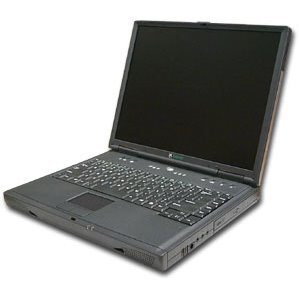
talks over USB to
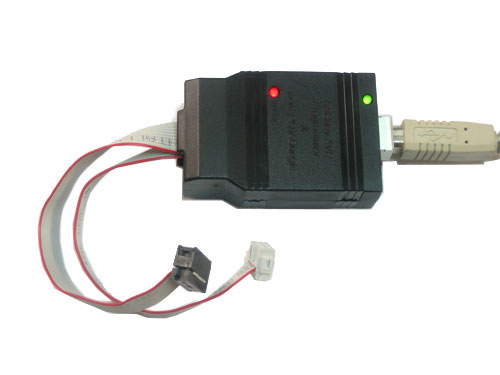
which interfaces with

which holds
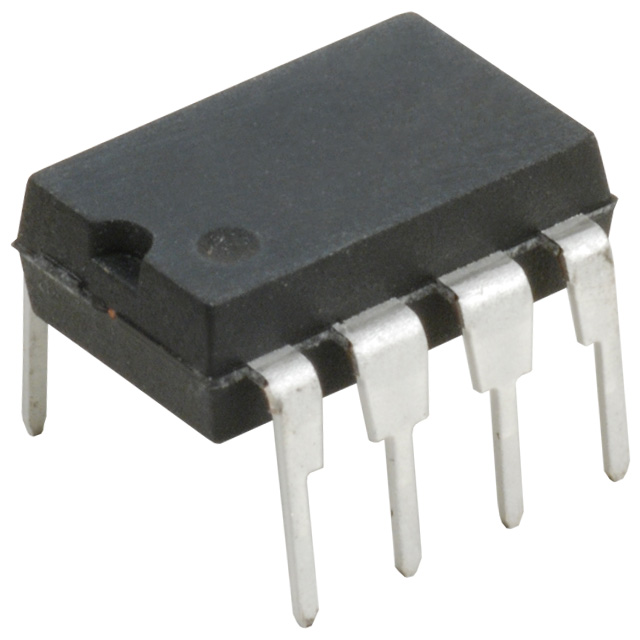
Adapter?
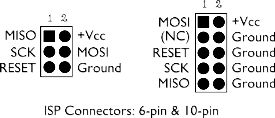
When a chip is programmed, the pins used by the programmer need to be mapped to the same (alternately) named pins of the chip.
To go from this:
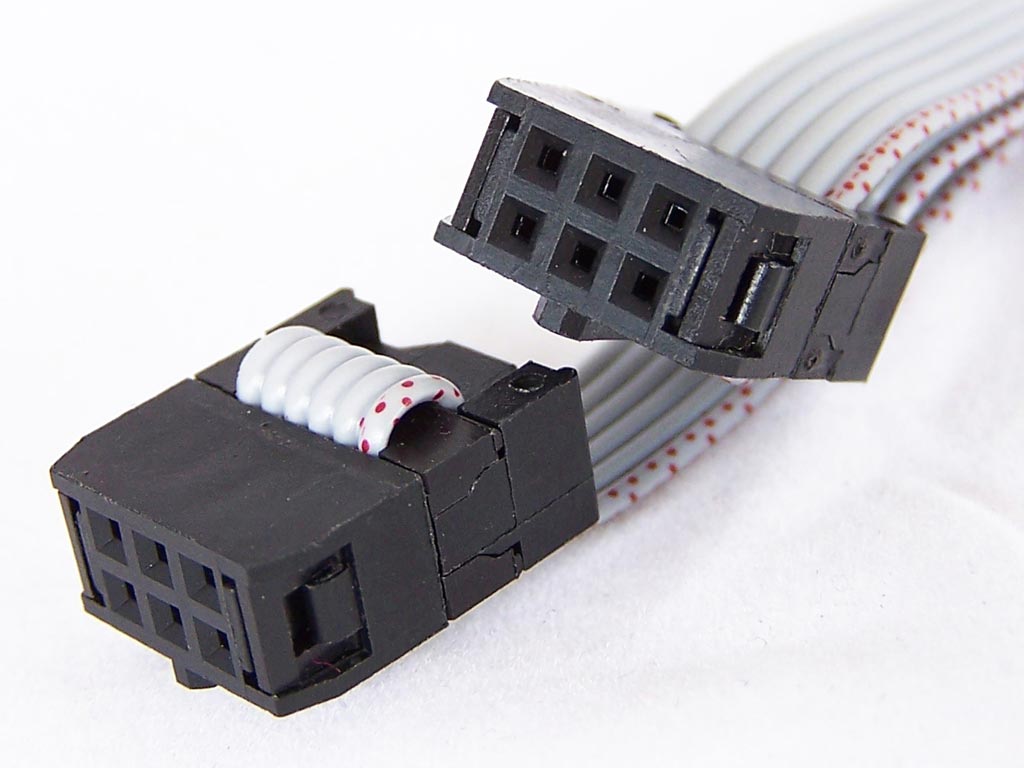
... to this:
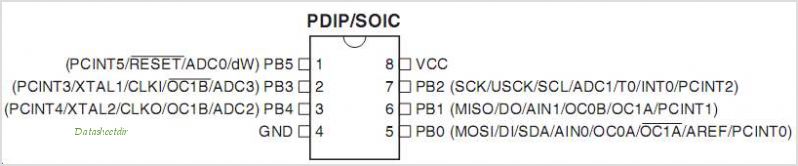
... we need an adapter of sorts.
I suppose if you felt particularly industrious you could rewire the chip with individual wires every time you program the chip but this seems inefficient.
To make our life easier, we're going to want to make a adapter from the 6-pin female header of the programmer to the pinout of the ATtiny. The programmer has two cables as output, one cable terminating in a 6-pin (3x2 pin) female header and another with 10 pins (5x2). For our purposes, we're going to pretend the 10 pin connector doesn't exist.
The pin numbers on the chip start at 1 in the top left and progress counter-clockwise. The biggest thing to remember is to never put the chip the wrong way in. I've found that they heat up really really quickly and begin to smell horrible. Don't do it. Chips of this format have either a small half circle divot or a tiny circle in the top left-hand side of the chip.
The simplest and quickest way to get this to work will be by using lots (6!) breadboarding wires and a spare breadboard:
NOTE: the 6-pin header is rotated 90 degrees counter-clockwise from the pinout image above.

This is as simple as finding a pin on the 6-pin header and matching it to its corresponding pin found on the 8-DIP chip holder. If we're using a breadboard, we don't need to use a chip holder but it might be nice just to keep track of where the chip is supposed to go.
Using the simple-to-use circuitlab.com, I made a diagram:
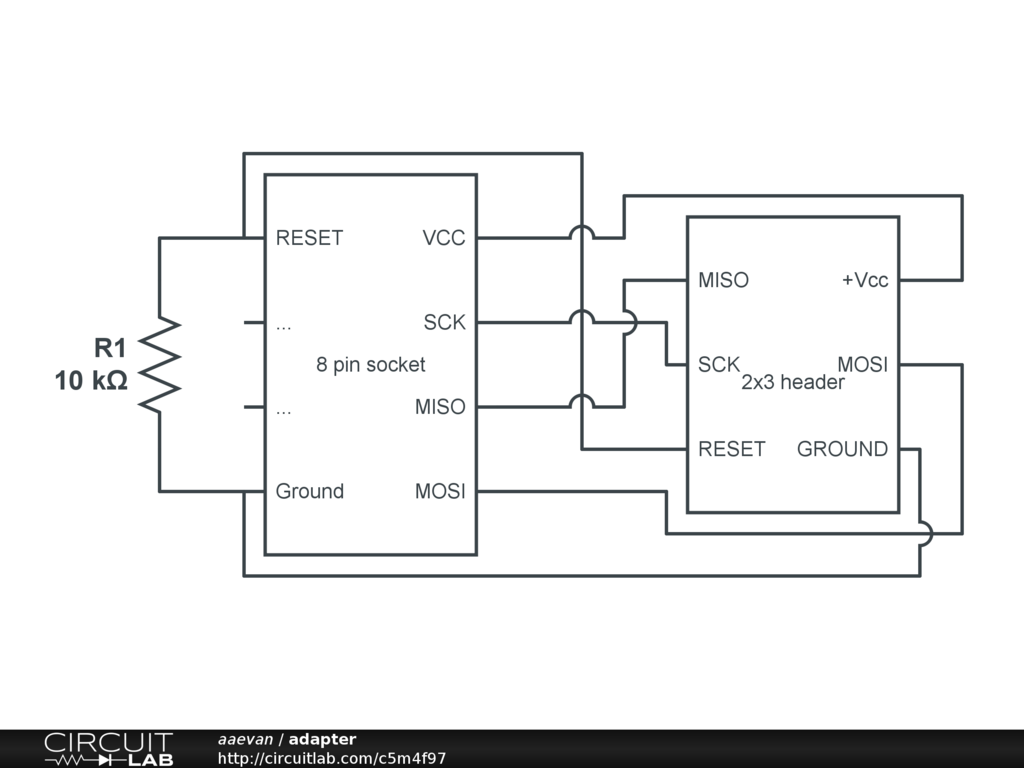
Something like my version of this takes substantially longer.
I traced then soldered each wire keeping careful attention to make the wires lie flat.
To arrive at this product, I followed the directions
here from evilmadscientist.com.
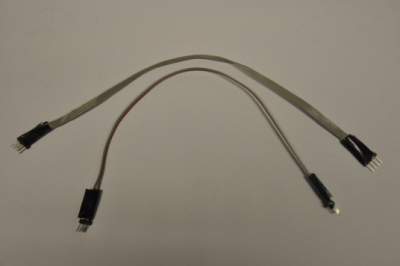
These cheap IC sockets don't like it too much if you switch out the chip too many times. With my adapter board, it will very occasionally not work. Most of the time this can be fixed by re-seating the chip. My workaround for having to change the chip out many times between programming cycles was to create two double-ended four-pin headers that could be plugged semi-permanently into the adapter board.
Next up, I explain what's needed on the software end of things.


![[paper clip]](/courses/source/wiki_images/paper_clip_tilt.png)
 name last modified size
