switch
switch.c
Switch.c has some new elements added:
//When the switch is pressed, flash the LED off and on.

#define F_CPU 1000000UL // Define software reference clock for delay duration

// Must be write before call delay.h
#include <avr/io.h>
#include <util/delay.h>

#define SWITCH PB1 // Define ext switch pin on PB2 *1
#define LED PB0 // Define ext led pin on PB0 *2
#define BLINK_SPEED 100 //in milliseconds

void delay(int ms) {
  int i;
  for (i=0; i<ms; i++) {
    _delay_ms(1);
  }
}

int main(void){
  DDRB &= ~(1<<SWITCH); // Set SWITCH pin to input.
  DDRB |= (1 << LED);   // Set LED pin to output.
  while(1){
    // Read SWT pin
    if (bit_is_clear(PINB, SWITCH)){ //bit_is_clear defined in avr/io.h
      while(bit_is_clear(PINB, SWITCH)){; //simple form of debouncing.
        PORTB ^= (1 << LED); // Set 0 on LED pin (led turn on)
        delay(BLINK_SPEED); // delay BLINK_SPEED milliseconds
      }
      //the while loop catches the input once.
    }
    else{
      PORTB &= ~(1 << LED); // Set 1 on LED pin (led turn off)}
      //once the switch is set and it still is being held
      //maintain the state of the switch.
      while(bit_is_set(PINB, SWITCH)){};
    }
  }
  return 0;
  }
components
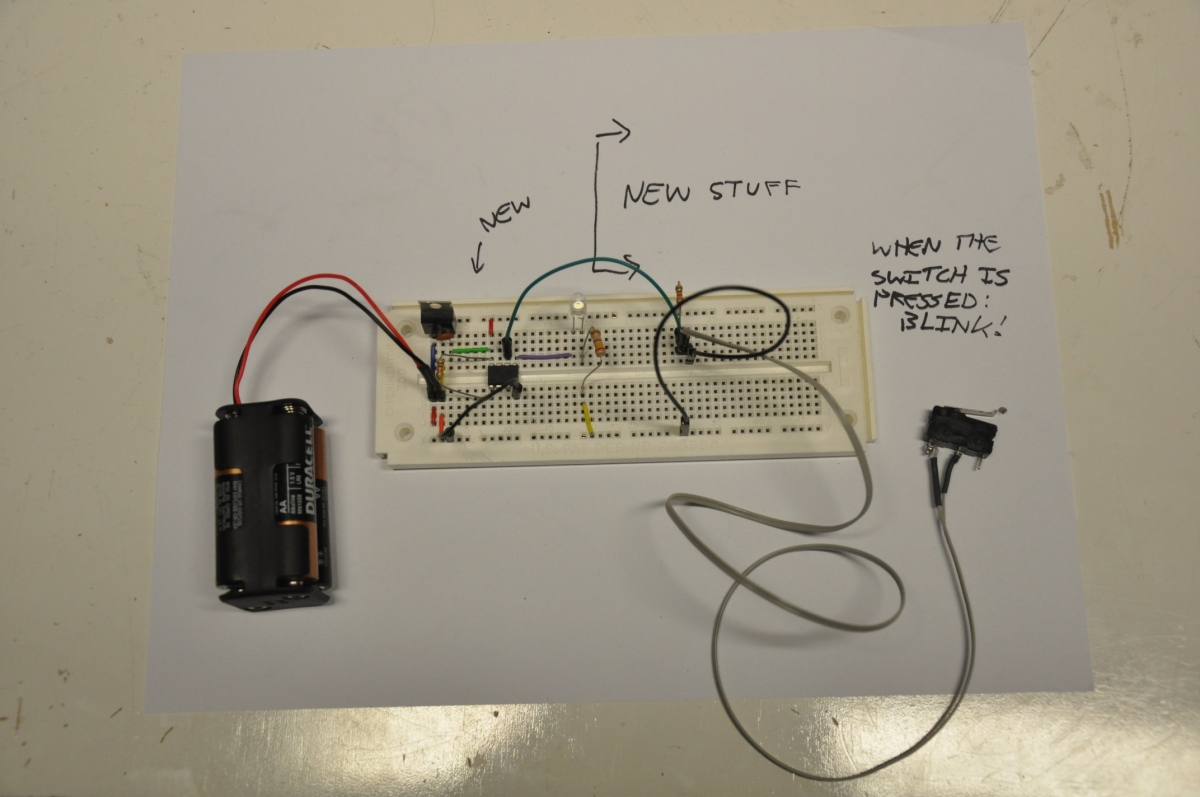
To get the ATtiny to read the value of a switch, we can leave in place everything on the breadboard blink.c except add a few more components.
(NO in the context of a switch stands for Normally Open.)
Here's another video:
Next...
We will get an LED's frequency of blink tied to an analog input.


![[paper clip]](/courses/source/wiki_images/paper_clip_tilt.png)
 name last modified size
